Fix 'Unable-to-acess-location' error when mount disk
Fix “Unable to acess location” error when mount disk
- Enviroment: Ubuntu 24.4 and Windows 11 (Dual system)
In ubuntu 24.4, there is a desktop shortcut on the hover to quickly mount disk and open nautilus with a simple click.
Problem
However, I found a error issued recently: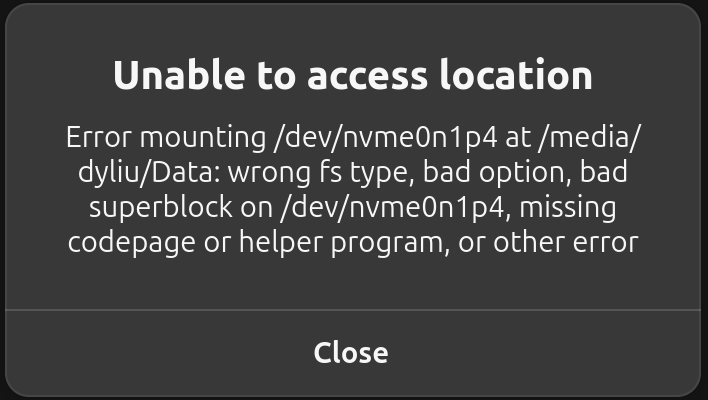
when I tried to use the hover shortcut to mount my Data partition, which was originally belong to Windows system with NTFS type.
Cause
Windows Fast Boot:
It’s probally due the “Fast Boot” of Windows still occupying the disk.Drive errors:
There are some drive errors need to be fixed.
Solution
Turn off Fast Boot
- Open “Control Panel“.
- Click “Power Options.”
- Click the “Choose what the power buttons do” link.
- Press the “Change settings that are currently unavailable” link.
- Uncheck the “Turn on fast startup” checkbox.
- Click the “Save changes” button.
Fix drive
I tried but failed to use ntfsfix to fix it in Ubuntu, because the Data partition is belong to Windows system.
So we have to fix it in Windows system.
- Boot to Windows system
- Open
cmd(orpowershell) - Run:
1
chkdsk /f d: - Reboot Windows
After that, reboot Ubuntu and free to go.
Reference
Fix 'Unable-to-acess-location' error when mount disk
https://dyliu0312.github.io/blog.github.io/2024/12/14/Fix-Unable-to-acess-location-error-when-mount-disk/